
How to Edit a PDF Online: A Complete Step-by-Step Guide
By PdfEditly Team · June 15, 2026 · 8 min read
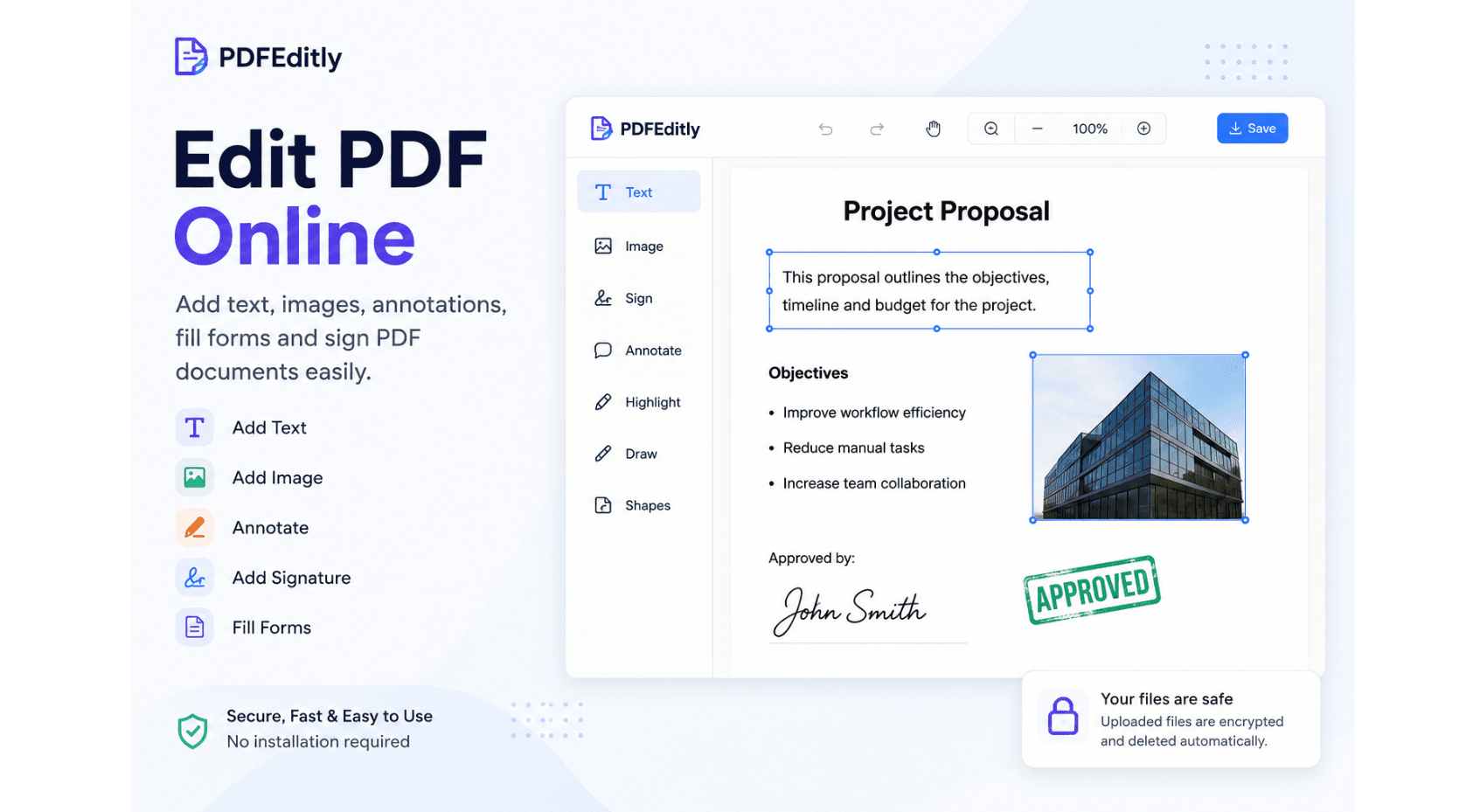
The PDF file format is widely used for exchanging business correspondence, agreements, invoices, reports, forms, and educational content. The PDF format maintains document structure regardless of the device or operating system used to view it, providing assurance that the document will be correctly formatted. Despite this popularity, many people are curious about how to edit a PDF.
Editing PDFs is not complicated; there are online PDF editors tool available today that enable one to do so. It is not necessary to install an editing program on one's computer because everything can be done through their browser with a tool like PDFEditly. You can edit PDF online directly from your browser.
What Does It Mean to Edit a PDF?
The editing of a PDF file is the process of changing the contents in an already existing PDF file without making any changes to its format. The use of a reliable online PDF editor makes it easy for one to edit the document.
Add Text to Existing Documents
The most popular purpose of edit PDF files is adding or changing text content. Whether you need to correct any errors, enter information that is missing, or just make some alterations, the use of a good PDF editing tool enables you to do that swiftly and effectively.
Insert Images and Visual Elements
For some users, it becomes essential to embed their company logos, sign-offs, or any other kind of add images to PDF in their documents. A good PDF editor can easily enable this function without damaging the visual appeal of the document.
Fill Forms and Complete Documents
Organizations often provide forms in PDF form. Rather than printing out the documents, individuals can simply fill PDF forms, save them, and instantly send them via email or the cloud.
Why You May Need to Edit a PDF
There are several instances when knowing how to edit a PDF proves very helpful. Business people, learners, and professionals alike often find that it is essential to make changes in order to ensure that their documents are accurate and current.
Correct Mistakes and Update Information
It is common for documents to require corrections even after they have been written. For example, it may be necessary to update contact details, change dates, correct spelling mistakes, edit PDF documents, or make changes to project-related information.
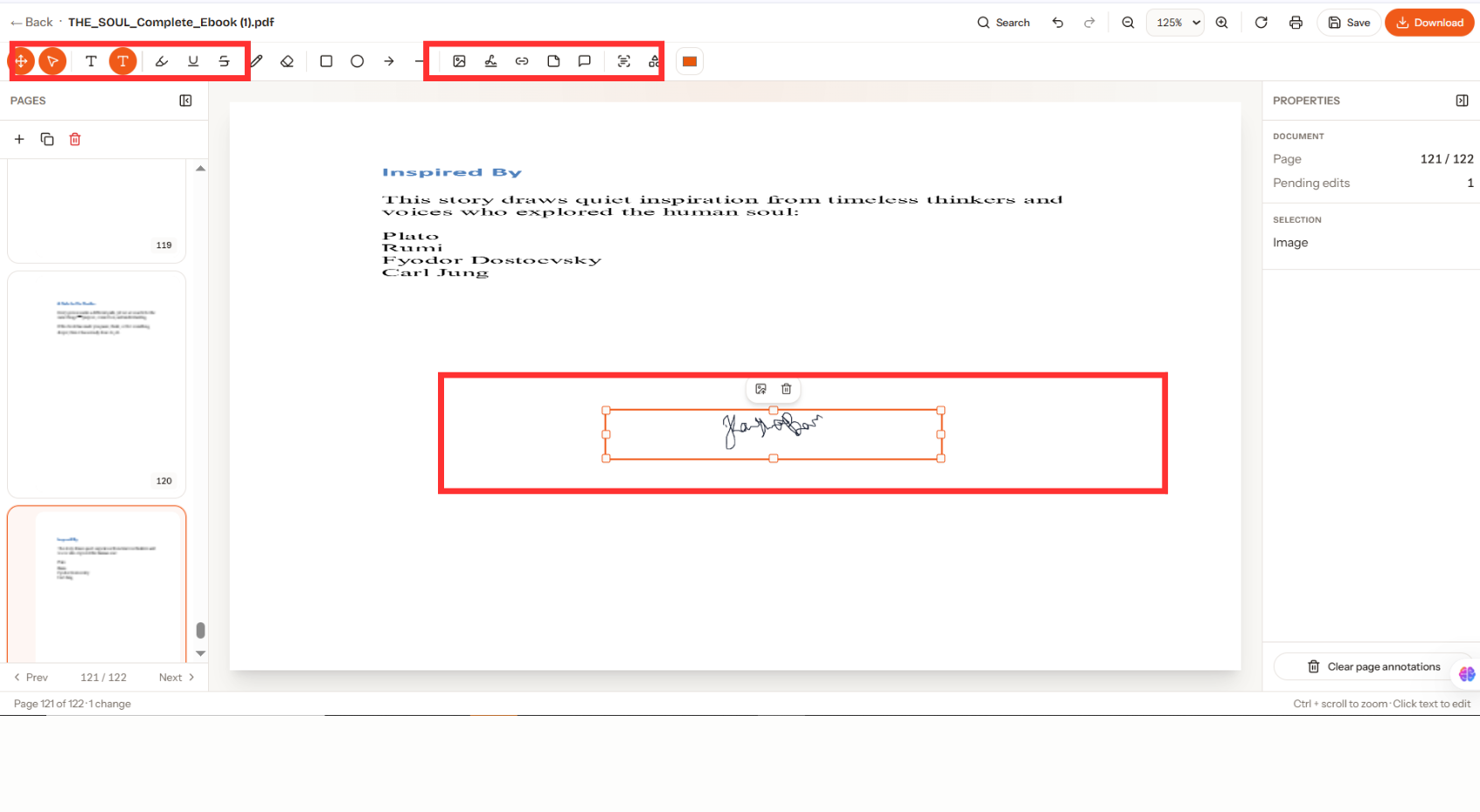
Add Signatures to Important Files
Contracts, agreements, and approvals may require signing. With PDF editing software, there is no need to print documents and send them back through scanning, as sign PDF online is possible.
Collaborate and Share Feedback
When it comes to reviewing reports, proposals, or project files, users can do so via an online PDF editor. It is possible to add comments to documents and collaborate with others online.
How to Edit a PDF Online
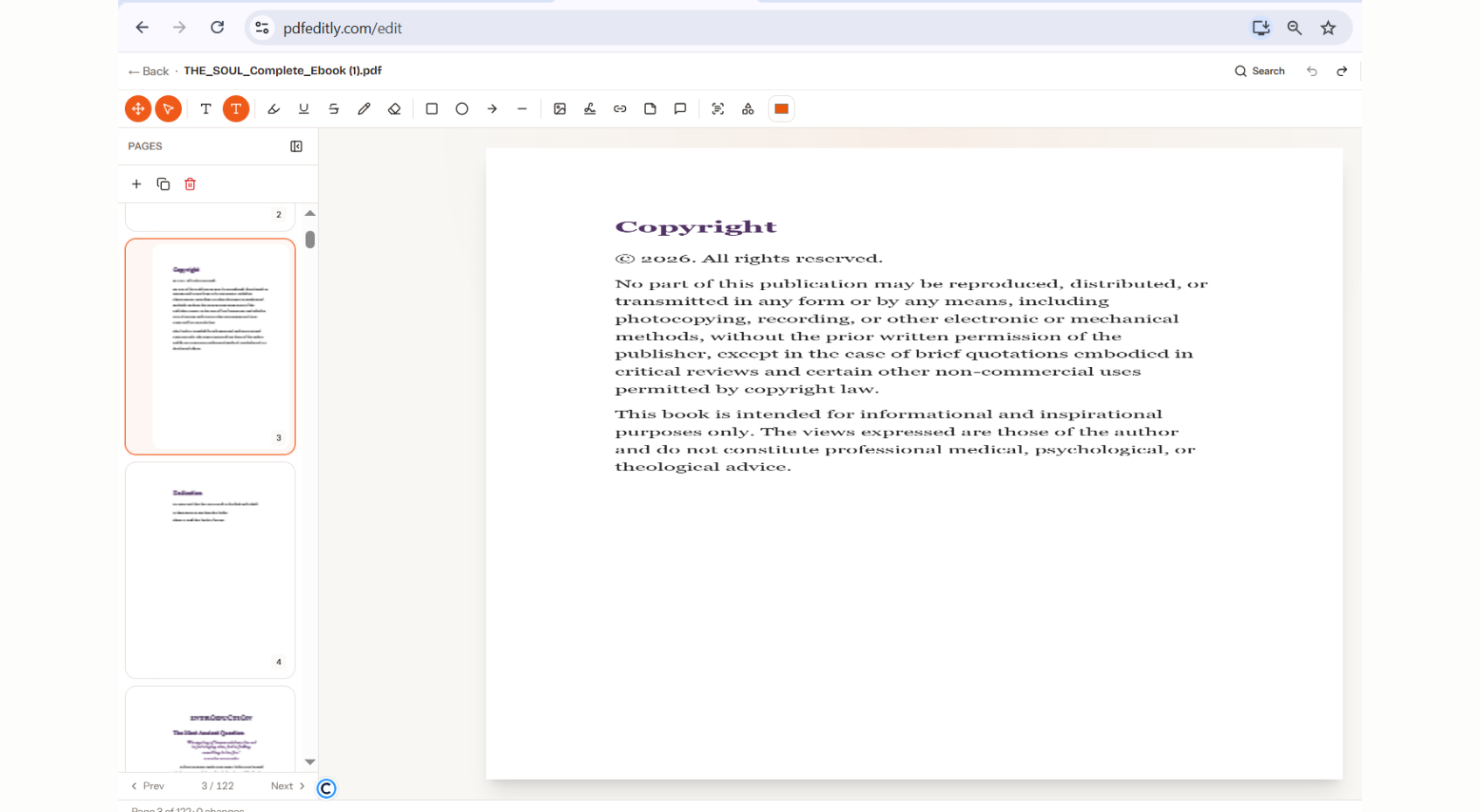
For anyone looking for how to edit a PDF online, it is very simple to do. Online tools eliminate the necessity of installing software while giving access to useful editing functions via any device possible.
Upload Your PDF File
Start off by choosing the file that needs to be edited. Most websites support the drag-and-drop upload feature, making it convenient to edit PDF online even from your desktop, laptop, iPad, or cell phone.
Make the Necessary Changes
After upload, select the necessary editing tools to use. Adding add text to PDF, including images, annotating the documents, completing forms, or applying signatures is possible based on your needs.
Save and Download the Updated File
When you have finished making the adjustments to the PDF file, review everything thoroughly. Afterward, save your changes and then download the file. With these easy steps, PDF file editing becomes quick and convenient.
Key Features of a Modern PDF Editor
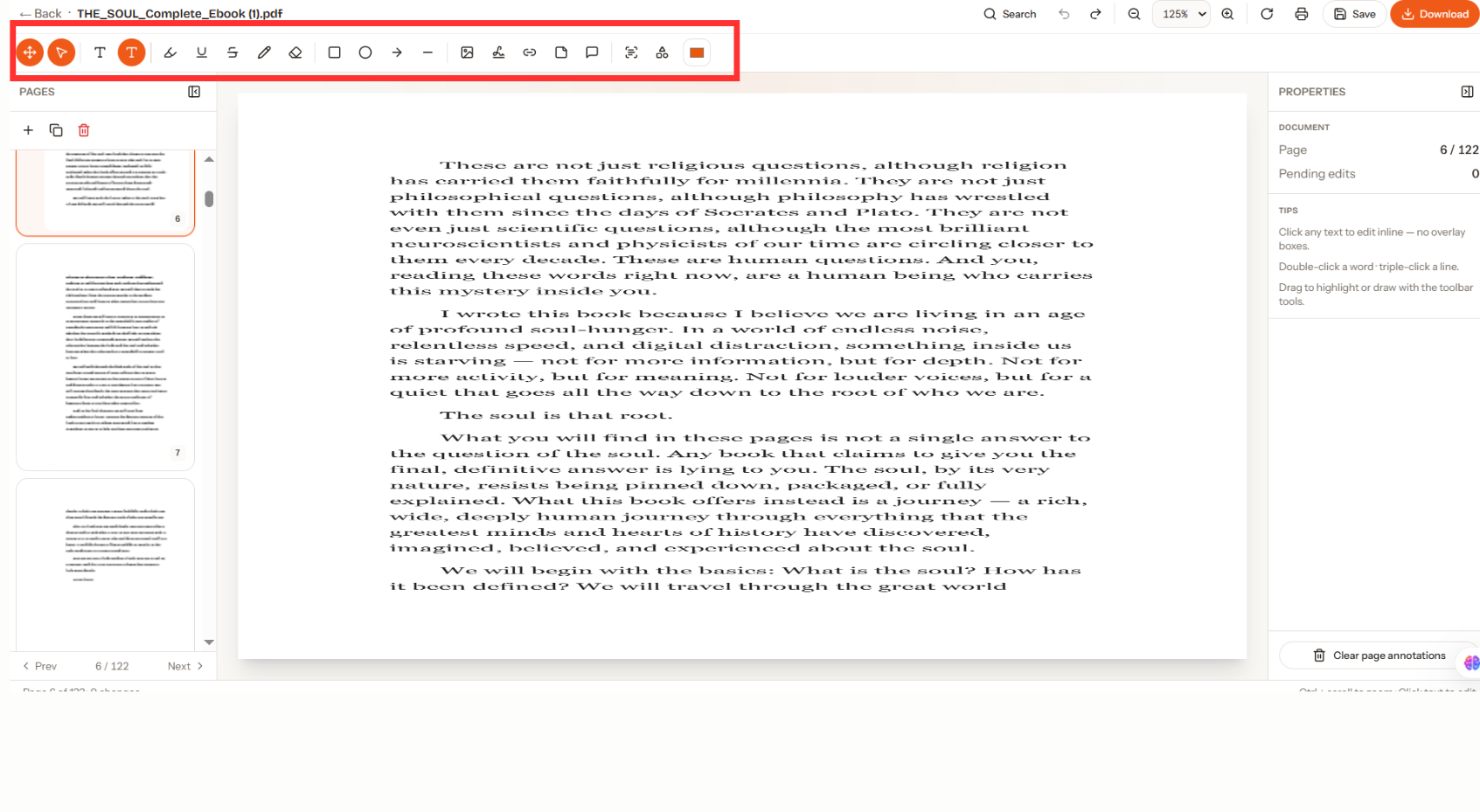
A dependable PDF editor should be able to offer some key features that make it easier to edit documents and maintain their format. Some of the practical tools provided by PDFEditly include
Add Text to PDF Files
The capability of add text to PDF files is among the most crucial aspects in editing. The user can be able to position text wherever he or she desires, which will make form-filling and updating much easier.
Insert Images into Documents
Images could help make the messages clear and professional. An effective PDF editing tool will enable the use of logos, pictures, screenshots, and many other forms of imagery in PDFs without changing their layouts.
Fill PDF Forms Digitally
This feature allows you to eliminate the need to print any papers. You can fill PDF forms in the format, save your work digitally, and then easily share the completed forms with other people.
Sign PDF Documents Online
The process of approving documents becomes easy with electronic signatures. One does not have to print the documents and scan them; one can simply electronically sign PDF online document and get the deal done anywhere using the internet.
Annotate and Highlight Content
Annotating allows people to work with their documents more efficiently. The use of such features as highlighting, commenting, and drawing makes the review process much easier.
Benefits of Editing PDFs Online
Online PDF editors remain popular since they offer flexibility, convenience, and accessibility to their users. They facilitate the management of documents while saving users from various constraints that come with using conventional software.
- No Software Installation Needed: Online PDF editors remove the necessity to download and install software, keep up with updates, and take up storage space on users' devices.
- Access Your Documents Everywhere: With cloud-based solutions, users can edit their PDF files online at any point without being constrained by location.
- Effortless Work: Online editors allow completing such processes as editing, filling forms, and signing without printing, scanning, and uploading the documents again.
- Multiple Platforms Supported: Contemporary online PDF editors function well on PC and laptop, tablet, and smartphone.
- Convenient Sharing Options: After the process of editing is completed, the documents can be saved and sent easily through mail, cloud services, or other collaboration channels.
- Easy-to-Use Interface: Contemporary editing PDF tools have an intuitive interface that makes document editing easy even for novice users.
Best Practices for Editing PDFs Efficiently
Several tips can be considered to facilitate editing and keep document quality at an appropriate level. The following suggestions will be helpful both for people who regularly edit PDF files and those who do this only occasionally.
- Make Sure to back up Your Original File: When you make some changes, it is necessary to back up your original document. It ensures that if something goes wrong while editing your document, it is still possible to use the previous version.
- Always Check Everything You Change: When you download the final version, it is important to check how it looks in terms of formatting, spacing, images, and text used.
- Choose the Right Tools for Editing: Depending on what you need to do in your document, it is important to select the right PDF editor tool that can be used for specific purposes.
Conclusion
It is very important to understand how to edit a PDF file. In case you wish to add text to a PDF, insert images, fill in a form, or add annotations and signatures to your document, modern PDF editing solutions will help you easily perform all these actions.
Using an online PDF editing solution, you can easily perform PDF editing online right from your web browser. Thus, this will save your time and increase your overall efficiency.